Job tool · free
Call outcome tally: count the day one tap at a time
Five counters for a day on the phones: dials, talks with an owner, leads handed on, callbacks set and requests to stop. One tap after each call. You see today, the last 7 days and the share of dials that reached an owner.
It opens in your browser with no sign-up. What you type stays in your browser until you make a free account.
What it does
What you put in, and what you get
It sits next to the dialer. One tap after each call, and at the end of the shift you know what the day was without counting back.
Counts only, no names or numbers. Your dialer and CRM keep the records.
- You put in
- One tap after each call: a dial, a talk with an owner, a lead handed on, a callback set or a request to stop.
- You get
- Counts for today and for the last 7 days, the share of dials that reached an owner, and a reminder to put every stop request on your do-not-call list. It keeps counts only, with no names or phone numbers.
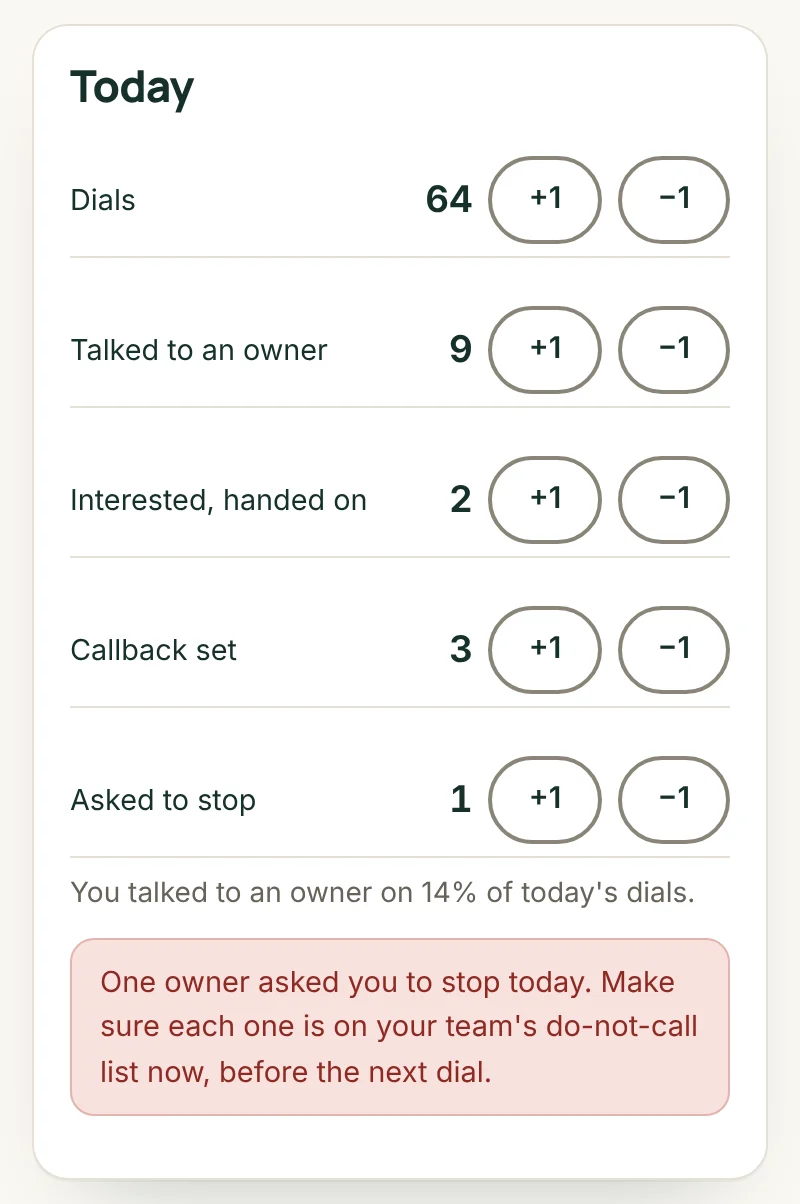
The counters
The five things it counts
- Dials
- Every number you dialed.
- Talked to an owner
- A real conversation with the person who owns the house.
- Interested, handed on
- An owner who wants to talk about selling, passed to the next person.
- Callback set
- A day and a time to call again, agreed with the owner.
- Asked to stop
- An owner who asked you not to call again.
A worked example
A sample day on the phones
Made-up counts for one day, and for the week it sits in.
| Counter | Today | Last 7 days |
|---|---|---|
| Dials | 64 | 242 |
| Talked to an owner | 9 | 33 |
| Interested, handed on | 2 | 7 |
| Callback set | 3 | 10 |
| Asked to stop | 1 | 2 |
You talked to an owner on 14% of today's dials.
One owner asked you to stop today. Make sure each one is on your team's do-not-call list now, before the next dial.
The entries are made up. The picture of the tool on this page shows the same ones.
How to use it
How to use the call outcome tally
Tap after each call
Each counter has a +1 button. Tap Dials for every call, and tap what came of it when something did.
Fix a slip
The −1 button takes one off.
Read the day
Under the counters you see the share of today's dials that reached an owner, and the totals for the last 7 days.
Act on every stop
When someone asks you to stop, tap the counter and put them on your team's do-not-call list before the next dial. The tally reminds you.
Before you type anything
- It opens with no sign-up. Until you sign in, what you type stays in your browser.
- A free account saves it and brings it to your other devices. Have an account already? Sign in before you start typing.
- Your team lead and the business owner do not see what you type in a tool.
- It uses no AI. It is a form, a checklist or arithmetic that runs in your browser.
What it is not
- It keeps counts only, with no names and no phone numbers.
- It is not a dialer and not a do-not-call list. Those stay in your dialer and your CRM.
- It does not replace your CRM. Full records, phone numbers and documents belong there.
- Like the lessons, it is general. It is not legal advice, and steps differ by market.
Practice the talk
Use it on a made-up call
The call outcome tally gets the facts ready. The call is where they get used. Play three turns with Ward, one of the made-up people in the app.
- The other person is made up and answers what you pick.
- Trust goes up or down, and a coach note says why after each line.
- No sign-up, and nothing you pick is saved.
Three turns from Cold calling 3, callbacks, on the cold calling path. Pick what you would say.
The job behind the tool
Made for a cold caller
Climbmark is practice for the jobs on a home-buying or wholesaling team, and this job has a free path of short levels with practice calls.
Practice the skill behind it. "The cold call opener" is level 1 of the cold calling path, and it needs no sign-up. Three chapters, about 45 to 55 minutes, and you can stop after any chapter. The owner did not ask for your call. You have about ten seconds to sound like a person, say why you are calling, and make it easy to say yes or no.
Goes well with
Tools for the calls themselves
Plain answers that go with it:
Questions
About the call outcome tally
More answers are in the questions and answers. You can also ask about cold calling in the community.
What should a cold caller track each day?
The tally counts five things: dials, talks with an owner, leads handed on, callbacks set and requests to stop. Together they show how many calls it took to reach an owner, and what came of each talk.
How long are the counts kept?
60 days. The tally shows today and the last 7 days.
What do I do when someone asks me to stop calling?
Tap "Asked to stop". The tally then shows a reminder to put each one on your team's do-not-call list before the next dial. The tally itself keeps no names or numbers, so the list lives in your dialer or your CRM.
Is the call outcome tally free?
Yes. The call outcome tally is on every plan, and that includes the free plan. It opens in your browser with no sign-up, and nothing in it is counted or capped.
Who can see what I type in the call outcome tally?
Until you sign in, what you type stays in your browser. With a free account it is kept with your own progress, and the app shows it to nobody else. Your team lead and the business owner see practice results, such as levels passed. They do not see your tool entries.
Count your next shift
Open it next to your dialer, and tap once after each call.