Job tool · free
Call notes template: six things every handoff needs
Six boxes for what the next person needs after a seller call: why they want to sell, timeline, condition, price in mind, who decides and next step. The tool turns them into a dated note to paste into your CRM, and it lists what is still missing.
It opens in your browser with no sign-up. What you type stays in your browser until you make a free account.
What it does
What you put in, and what you get
When a lead moves from one person to the next, the seller should not have to repeat a word. The note carries what you learned, in the order the next person needs it.
Type as you talk. The summary below is ready to paste into your CRM. Keep it to what the next person needs.
- You put in
- The six things the next person needs: why they want to sell, timeline, condition, price in mind, who decides and next step.
- You get
- A dated note that is ready to paste into your CRM, and a list of what is still missing, so you can ask on the next call.
The boxes
The six things the next person needs
- Why they want to sell
- The reason, in the seller's own words.
- Timeline
- When they want it done, and what sets that date.
- Condition
- What they told you about the house.
- Price in mind
- The number they said, if they said one.
- Who decides
- Everyone who has to agree, such as a second person on the deed.
- Next step, with day and time
- What happens next, with the day and the time.
A worked example
A sample note, with one box left empty
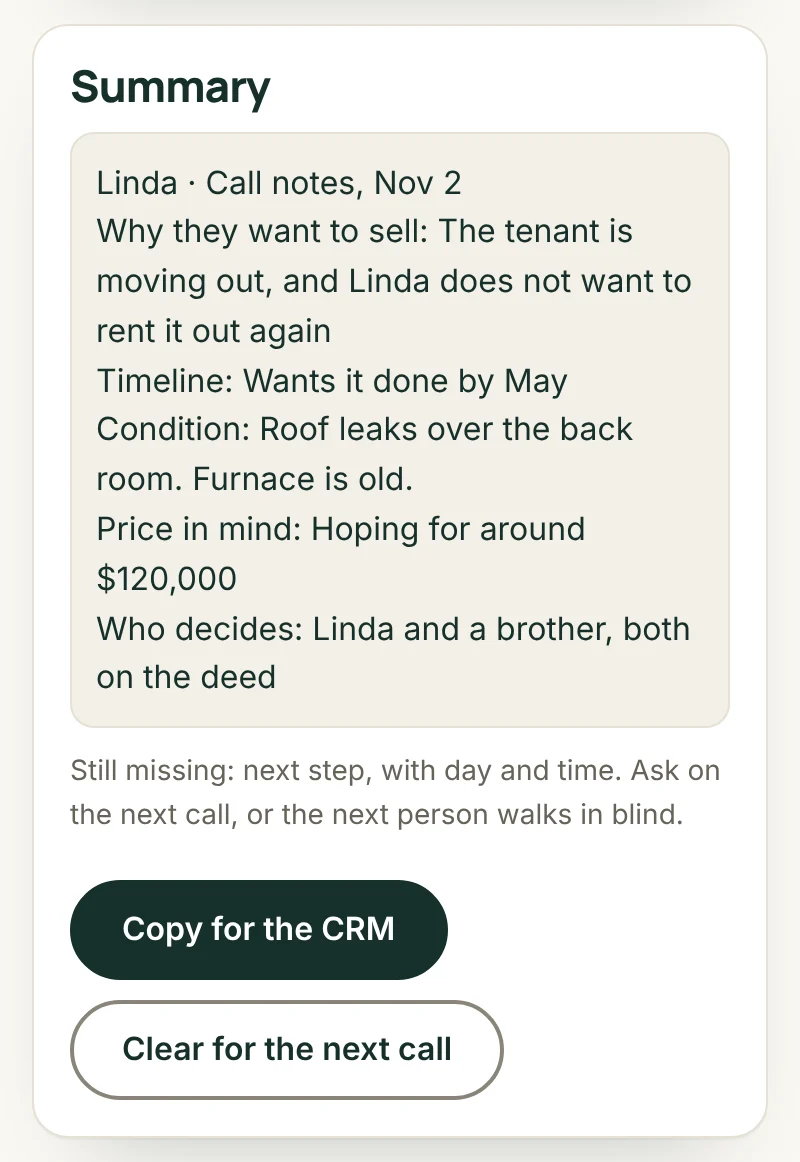
Made-up notes from a first call. The last box was left empty, so the tool says what is missing.
Linda · Call notes, Nov 2
Why they want to sell: The tenant is moving out, and Linda does not want to rent it out again
Timeline: Wants it done by May
Condition: Roof leaks over the back room. Furnace is old.
Price in mind: Hoping for around $120,000
Who decides: Linda and a brother, both on the deed
Still missing: next step, with day and time. Ask on the next call, or the next person walks in blind.
The entries are made up. The picture of the tool on this page shows the same ones.
How to use it
How to use the call notes summary
Type as you talk
Fill the boxes during the call, a line or two in each.
Read the summary
It builds as you type: the lead's name, the date and each box you filled.
Close the gaps
The tool lists what is still missing. Ask on this call if you can, or on the next one.
Paste it into your CRM
Press Copy for the CRM and paste the note into the lead. Clear for the next call empties the boxes.
Before you type anything
- It opens with no sign-up. Until you sign in, what you type stays in your browser.
- A free account saves it and brings it to your other devices. Have an account already? Sign in before you start typing.
- Your team lead and the business owner do not see what you type in a tool.
- It uses no AI. It is a form, a checklist or arithmetic that runs in your browser.
What it is not
- It does not record or transcribe the call. You type the notes.
- It keeps one note at a time. Once you paste it, the record lives in your CRM.
- It does not replace your CRM. Full records, phone numbers and documents belong there.
- Like the lessons, it is general. It is not legal advice, and steps differ by market.
Practice the talk
Use it on a made-up call
The call notes summary gets the facts ready. The call is where they get used. Play three turns with Ray, one of the made-up people in the app.
- The other person is made up and answers what you pick.
- Trust goes up or down, and a coach note says why after each line.
- No sign-up, and nothing you pick is saved.
Three turns from Level 2, practice calls, on the lead manager path. Pick what you would say.
The job behind the tool
Made for a lead manager, a follow-up specialist, a cold caller and an acquisitions rep
Climbmark is practice for the jobs on a home-buying or wholesaling team, and each of these jobs has a free path of short levels with practice calls.
Lead manager
For the person who answers new seller leads and books the visit.
See the lead manager pathFollow-up specialist
For the person who works the leads that are not ready yet.
See the follow-up pathCold caller
For callers and calling VAs who reach property owners first.
See the cold calling pathAcquisitions rep
For the closer who walks the house and makes the offer.
See the acquisitions pathPractice the skill behind it. "Live lead ready" is level 2 of the lead manager path. Three chapters, about 50 to 65 minutes, and you can stop after any chapter. Sellers push back, go quiet and need time. Stay calm, set follow-ups people agree to, and hand the closer a clean picture.
Goes well with
Tools for what comes after the call
Questions
About the call notes summary
More answers are in the questions and answers. You can also ask about lead management in the community.
What should call notes on a seller lead include?
Six things: why they want to sell, timeline, condition, price in mind, who decides and next step. With those, the next person can pick the lead up without asking the seller again.
How long should a call note be?
Short. Each box holds a line or two, and the tool's own advice is to keep it to what the next person needs.
Does the tool connect to my CRM?
No. It writes plain text, and "Copy for the CRM" puts it on your clipboard. Paste it into the notes of the lead in any CRM.
Does it record or transcribe my calls?
No. Nothing listens to the call. You type the notes yourself, and the tool puts them in order.
What if I did not get an answer to everything?
The note leaves the empty boxes out and lists them as still missing, so you know what to ask next time.
Is the call notes summary free?
Yes. The call notes summary is on every plan, and that includes the free plan. It opens in your browser with no sign-up, and nothing in it is counted or capped.
Who can see what I type in the call notes summary?
Until you sign in, what you type stays in your browser. With a free account it is kept with your own progress, and the app shows it to nobody else. Your team lead and the business owner see practice results, such as levels passed. They do not see your tool entries.
Take notes on your next call
Type as you talk, and paste a clean note into the lead when you hang up.